problem with iCloud payment
psydnor
 User level: Level 1 (5 points)
how do I update my iCloud payment method
Posted on Jul 20, 2023 2:08 PM
User level: Level 1 (5 points)problem with iCloud payment
Posted on Jul 20, 2023 2:08 PM
Jul 21, 2023 1:26 PM
Hi psydnor,
For help with updating an iCloud payment method, first check the information here to be sure you can use the method in your current country or region. Payment methods that you can use with your Apple ID - Apple Support
If listed, follow the steps below from the article here: If you need to change or update your Apple ID payment method to update your payment on an iOS device.
"Update your payment method on your iPhone or iPad
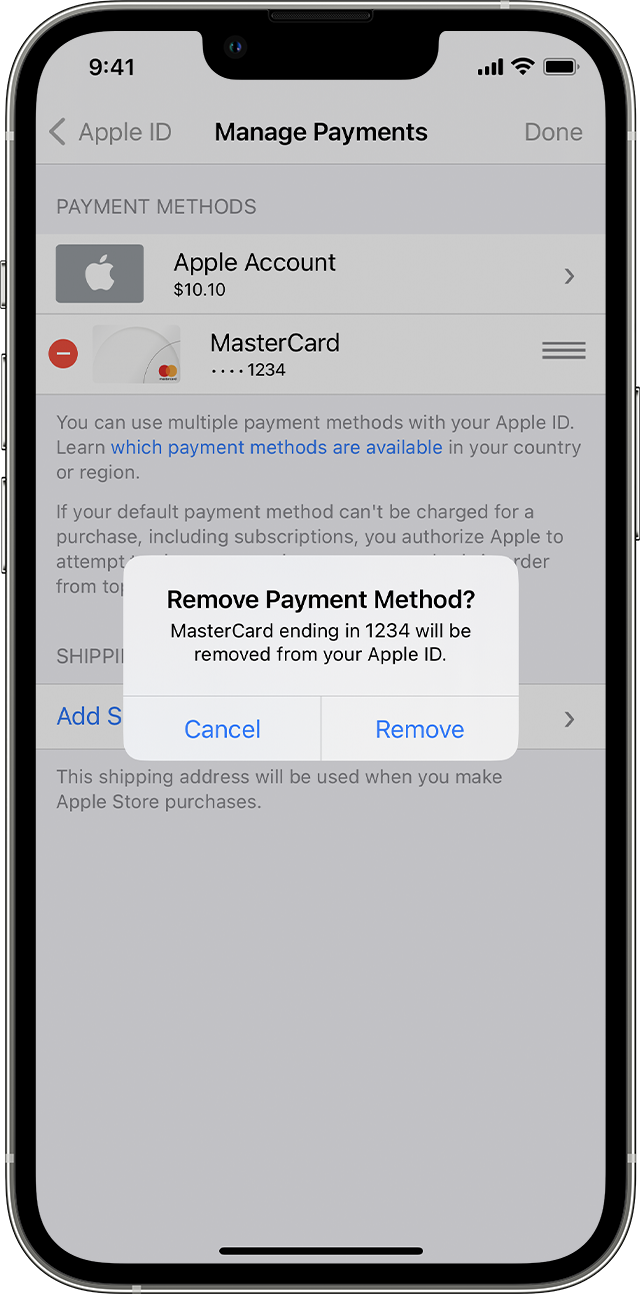 "
There are also steps in the same article to update using a Mac or a PC. If you can't remove a payment method check and follow the steps here: Remove a payment method from your Apple ID
Reach out to Apple directly if you continue to have an issue. Get connected using the link here: Get Support
Cheers.
Originally posted at discussions.apple.com/thread/255012694