Unofficial archive. This is a read-only, community-run archive of the Apple Support Community. It is not affiliated with or endorsed by Apple Inc.

Change Mac (Ventura) lockscreen wallpaper

I would like to be able to change my lockscreen/login wallpaper. All the articles I have read indicate there should be a folder in called "desktop pictures" under/Library/Caches. However, I do not have such a folder and thus am stuck.

Any suggestions?

3 replies

shekala wrote:

I would like to be able to change my lockscreen/login wallpaper. All the articles I have read indicate there should be a folder in called "desktop pictures" under/Library/Caches. However, I do not have such a folder and thus am stuck.
Any suggestions?


Sounds like mis-information


Lock screen is Control Command Q


You can Control click directly on the Desktop
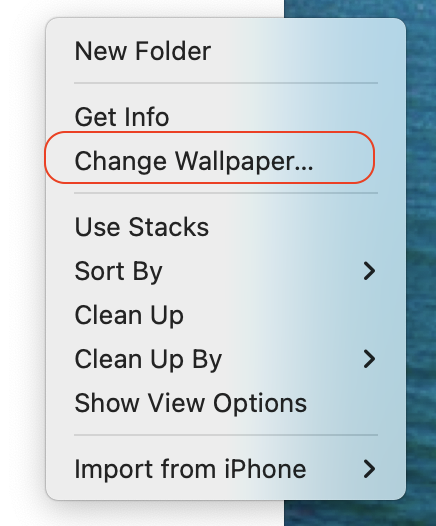


ref:

Customize the desktop picture on your Mac - Apple Support


if you are trying to get the login wall paper the same as your chosen user account wall paper—


Ventura default is the new macOS Ventura background when you restart the machine…


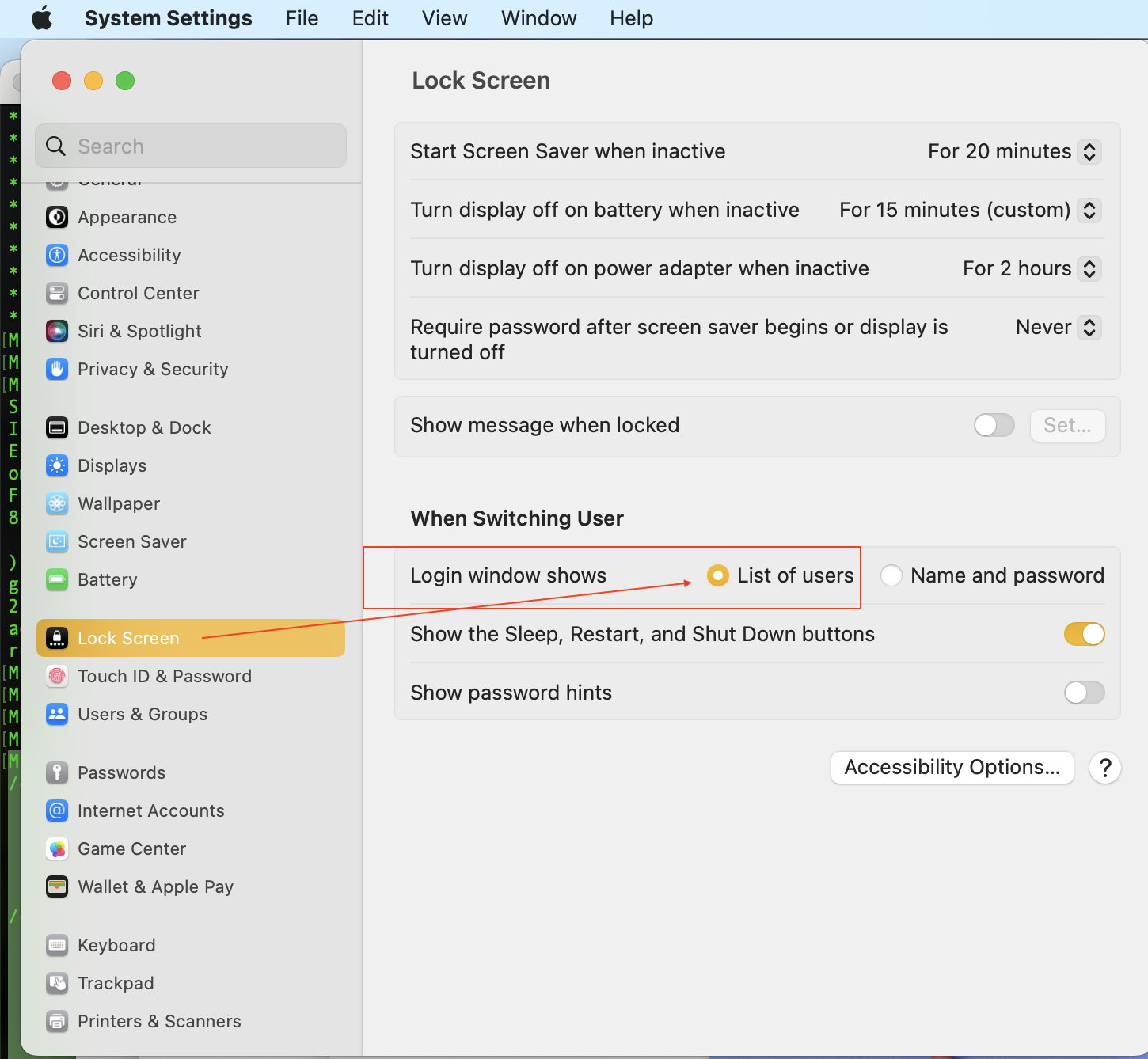
You can make the Login wall paper the same as your User account wall paper, if the following condition are met

verify:


  • No FileVault turned on
  • No guest user or additional user accounts
  • Must be “List of user” in System Settings> Lock Screen


shekala wrote:

I would like the desktop pic for the lock screen to be different than the regular desktop. So the articles referred to that scenario.


follow the direction above is the best you can do.


Follow the ref link above for more info


You can always submit your Apple Feedback here:  http://www.apple.com/feedback 


I would like the desktop pic for the lock screen to be different than the regular desktop. So the articles referred to that scenario.
