Unofficial archive. This is a read-only, community-run archive of the Apple Support Community. It is not affiliated with or endorsed by Apple Inc.

Unable to set up used MacBook Pro after purchase

Hi So i have a macbook pro 2010 and i brought it secondhand so i wanted to reset it to make sure everything was gone, whilst i was doing it i think i clicked on something wrong cause every time i open my macbook it takes me to Mac utilities something like that and i press repair, and it says its working fine it wont let me exit the utilities cause it just goes back to the same page. Can anyone help?


[Re-Titled by Moderator]

7 replies

To present its normal "pretty face", MacOS requires that over 8 GB of software (that is MacOS itself) is loaded on your drive, and can be loaded into RAM memory and executed properly.


If you have damaged part of macOS in the process of removing your files, you may have to re-install MacOS to get your computer in shape for the next owner:


What to do before you sell, give away, trade in, or recycle your Mac - Apple Support


when completed, this article applies:


How to reinstall macOS - Apple Support


note this item in particular:


Shift-Option-Command-R: When you press and hold these four keys at startup, macOS Recovery might offer the macOS that came with your Mac, or the closest version still available. 


.

restart and try this key-combination at startup:


Shift-Option-Command-R: When you press and hold these four keys at startup, macOS Recovery might offer the macOS that came with your Mac, or the closest version still available. 

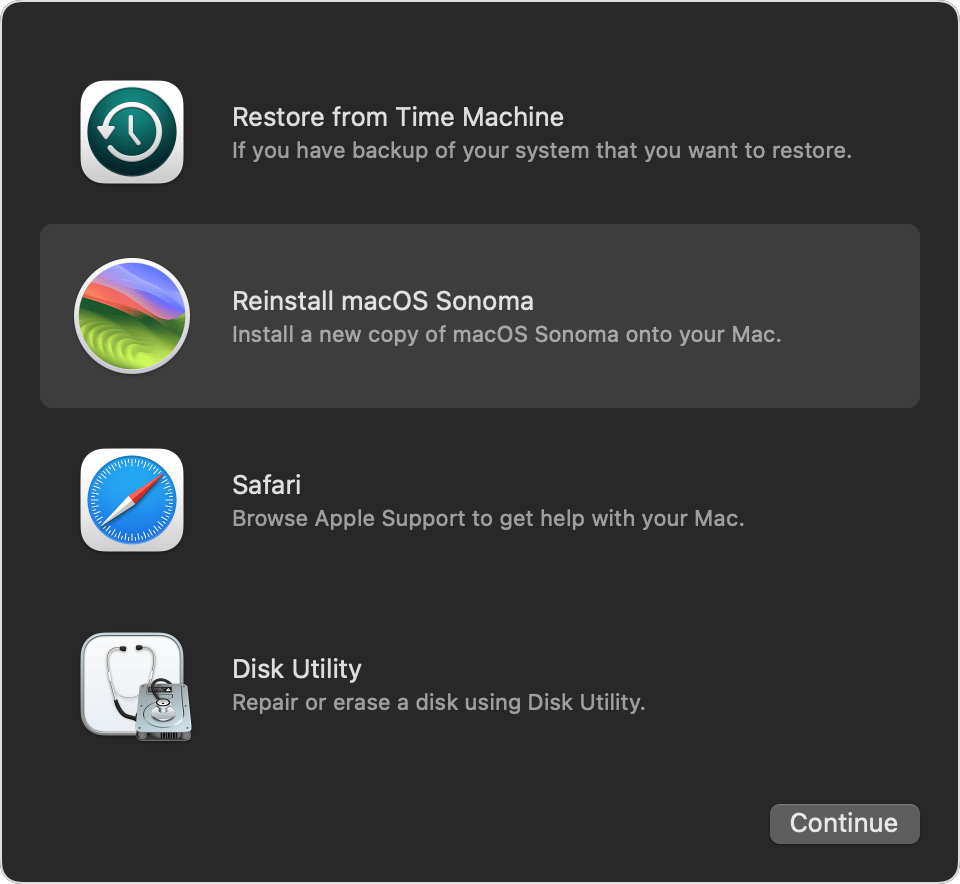
If the page it is taking you to bears any resemblance to this one, you are well on your way to re-installing macOS:


...

mine looks a little different but has the same options, the thing is when i press reinstall it says there is a error and cant reinstall no matter what i do i even repair disk utility and it says nothing is wrong

i do press recovery and still no luck takes me right back

what is that error message, exactly?

It Says “Recovery Server Not Found”