To switch between Portrait and Landscape view, you generally only need to rotate the iPad to the desired screen orientation.
For newer models of iPad without a side-switch, you may need to disable your Screen Rotation Lock. To do so, you need to access the Control Centre; swipe downwards from the top-right corner of the screen - then tap the Screen Rotation lock icon:
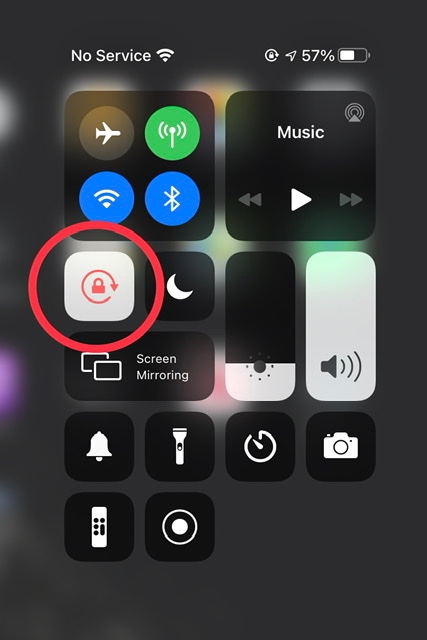
If screen rotation proves to be problem with some Apps - and not others - you need to be aware that not all Apps are coded to operate in both Portrait and Landscape screen modes. Apps that have a fixed screen orientation will always* appear in the orientation determined by the App Developer.
(*) For compatible Apps that are intended for iPhone, iPadOS 15/16/17 will automatically rotate the App to display in Landscape screen orientation. There is no manual configuration or setting to enable this feature.
However, Apps designed for iPad that are expressly coded to force Portrait screen orientation, iPadOS 15/16/17 will honour the intended Portrait mode - and will not override the App coding.
For iPadOS16/17, there is a workaround. If your iPad model supports Stage Manager, portrait Apps can be displayed in Landscape orientation.
- iPad Pro 13-inch (M4)
- iPad Air 13-inch (M2)
- iPad Air 11-inch (M2)
- iPad Pro 12.9-inch (3rd to 6th generation)
- iPad Pro 11-inch (1st to 4th generation)
- iPad Air (5th generation)
Settings > Home Screen & Multitasking > Stage Manager > Use Stage Manager on iPad - set to ON
 User level: Level 1 (4 points)

