Unofficial archive. This is a read-only, community-run archive of the Apple Support Community. It is not affiliated with or endorsed by Apple Inc.

batch title change in photo version 1

The new "Photo" has changed the user interface completely. Is there a way to to the "batch title change" for a group of photos? There are instructions for how to do for one, but I'm hoping that this has not been lost. I'm using version 1.


Is there any way to remove the conformation that is now required each and every time you want to delete a photo or group of photos?


Thanks,


DMW

35 replies

Try creating an app from the script and use it from the Dock or from the Scripts folder:

User uploaded file

which is activated in Script Editor's General Preference pane:

User uploaded file

You can download a compiled version of the script as an application from this tutorial site: P01 - Applescripts from Photos’ User Tips Compiled as Applications

User uploaded file

Leonie:

Thanks again for your helpful info. Your automator script for making Photos file names into titles was a lifesaver when using El Capitan on my older iMac. However, I just tried to start using it on a MacBook Pro using Sierra. The script will work inside Automator and create titles, but I can't seem to make it appear inside Photos as an available Service. It does not appear as an option, though it is stored inside my User Library in the Services folder. When I respond to a dialog request to Install it, I am told I do not have Permissions, although I loaded the script from your suggestion on the web. Any suggestion? Thanks.

Hi leonie,


When I run the script to batch change titles, I get an error message that says "The action 'Run AppleScript' encountered and error." I've also tried running it from Automator and it looks like the problem happens in the "set the name to input" command.


Any suggestions?


Thanks,

Jay

It is hard to tell from afar, Jay.


Does the title you want to set contain any non-standard characters?

Batch changing is not yet supported in Photos for Mac.


Your answer implies that it eventually will be supported. Do you know something we don't ?

HI Leone,


I've tried several, but always something simple like "Volleyball." I've created the script several times on two computers including pasting it in from your post and typing it in directly with the same results. I must be missing something.


Thanks,

Jay

Hi Leonie,

Thanks for the information. I appreciate the links and the work around, but we should not have to deal with workarounds.


Seems Apple released a half baked version of software without thinking about us users just their hype. Given the other posts today there are other things that they've not considered either. Before someone tells me, "just go back to iPhoto", rest assured I will immediately.


Hey Apple, dont waste our time with things that are not ready for prime time! You use to be better than that!


Thanks again Leonie.


DMW

Your answer implies that it eventually will be supported. Do you know something we don't ?

Just wishful thinking, Ziatron. Apple does listen occasionally, when enough feedback has been sent, that basic functionality is missing or broken. For example, the first update to Photos iOS brought the Camera Roll back to the iPhone and iPad. Or for GarageBand 10 the mp3 export has been introduced again. GarageBand 10 has been improved considerably since the first release a year ago and quite a few missing features added. By now it is usable. I am hoping for the same for Photos.

You're welcome, Diana.

I am keeping my main libraries in iPhoto and Aperture for the time being. For me the biggest obstacle to transferring my main libraries is the buggy handling of time zones. And since my photos have been taken all around the world I cannot yet risk to move the older libraries.

Photos does not recognise 08:00:00 GMT as the same time as 10:00:00 GMT+02. It sorts them incorrectly.

Jay Deitch wrote:


HI Leone,


I've tried several, but always something simple like "Volleyball." I've created the script several times on two computers including pasting it in from your post and typing it in directly with the same results. I must be missing something.


Thanks,

Jay

It may be a timing problem, as R-CR reported in another post, or a problem with the "get selection".

Does the script work, with a small selection and only photos from one Moment selected?


Can you enter titles at all for for photos, if you try to add them manually?


Have a look at the script that NicFletcher posted: It shows how to make the scripts more robust by adding error checks:

A sample AppleScript and some technical observations on Photos

Hi Leone,


I added a few "display dialog" commands for error checks (see below). I'm not sure the syntax is correct for all of them, but it stops to ask for text (as it has before) and then displays "getting images" with an OK button. When I click the OK button, it errors out before it gets to 'display dialog "Got " & ImageSel...' so either "set imageSel" or ""get selection" appear to be the problem (or the error is the next "display dialog" command). ImageSel must not be empty because it doesn't display the "Please select some images." message. See the error message at the bottom of the attached screen shot ("Can't make (<<class IPmi>>...").


Regarding your other questions:

- I've tried it with 1 to 6 photos selected, all in the same Moment and have tried photos from different Moments.

- I can enter titles manually by typing them in below the image in the Moment. I can also copy and paste the title from one photo to the next.


Thanks again for all your help.

Jay


User uploaded file

Try to add a "return" statement for debugging. Right after the line

set imageSel to (get selection)

insert

return imageSel


That will stop the workflow and return the list of selected items.

< 00004000 p>The list view should be something like {media item id "6X2EdD5rRtG9JcqgDQNlng" of application "Photos", media item id "ageZwX7KRC6MBw+IMtCrhA" of application "Photos", media item id "Mu2W+MkVQMqpmV6VWhhfXw" of application "Photos"}

Click the "result" button to see the returned items. Is it the list of images you selected?


Also check the input the script receives by "return input"


User uploaded file

Hi Leone,


Here is what happened:


First, a step-by-step description of running it:

It apparently completed the workflow without error, but it didn't change the titles.

User uploaded file


Here is the script and the log when I run it using the “Step” button at the top of Automator (Photos is open and the photos are selected before running it). Again, it looks like it ran without error. It didn’t stop at “return imageSel” or display media item ids, etc. After entering in the text for the titles it just completed the workflow but didn't change the titles. Just plain weird!

User uploaded file


Thanks again,

Jay

More...


The "return" command does return the image information and then appears to stop the workflow (so no error message or title changes):

User uploaded file


If I remove the "return" command, or just make it a comment, I get the error message:


User uploaded file


So it looks like it is getting the selected images, and it is getting the input from the text box, but runs into trouble when it tries to "set the name to input"


User uploaded file


-Jay

Can you change the title of the photos in question manually? Are your photos jpegs? I tested only with Jpeg files.


Or perhaps your Photos library has a corruption.


You can test that by quitting Photos, holding down the alt/options key while launching Photos and selecting to create a new, empty Photos library for testing. Then add a few test images to the library and test there.

Hi Léonie,


- Yes, I can change the titles manually by typing them in below the image in the Moment. I can also paste in the new title.

- The photos are all jpeg

- I created a test library and the script works fine so it looks like the library is corrupt. I'm repairing it now. For those of you with similar problems, just hold down the Option and Command keys while starting up Photos to repair the library.


I'll let you know what happens after the repair is finished.


Thanks again for all your help.

-Jay

Ug! The same error message appears with the repaired library...


User uploaded file

Hi Léonie,

I found another post of yours about rebuilding the iPhoto Library using iPhoto Library Manager. I tried it (took all night), and it found a few photos that couldn't be imported to the rebuilt library. It looked fine in iPhoto so I opened that library in Photos. I get the same error when running the script. I can't think anything else to try. Maybe I'll just stick with iPhoto.

-Jay

I forgot to include this...


Here are the Console messages I get when I run the script. The first two happen as soon as I open the script. The other three appear after I type in the title text:


4/26/15 11:20:05.227 AM Automator Runner[2841]: -[AMApplicationRegistry loadDefinitionAtURL:]: No application name for definition at URL file:///Library/Automator/Office.definition/

4/26/15 11:20:05.227 AM Automator Runner[2841]: -[AMApplicationRegistry _loadDefinitionsAtURLS:]: Failed to load definition at URL file:///Library/Automator/Office.definition/

4/26/15 11:20:42.006 AM Photos[2832]: An exception was thrown during execution of an NSScriptCommand...

4/26/15 11:20:42.006 AM Photos[2832]: *** -[__NSArrayM objectAtIndex:]: index 47333 beyond bounds for empty array

4/26/15 11:20:42.384 AM WorkflowServiceRunner[2840]: WorkflowServiceRunner received error running Workflow Service at /Users/Jay/Library/Services/Batch Change Titles.workflow: The action “Run AppleScript” encountered an error.


-Jay

Does the problem only occur when you run the workflow as a service and not when run from automator as a workflow?


Then open the Activity Monitor (from Applications > Utilities).

Do you see the "Automator Launcher " in the list of processes? Then kill it. The launcher may be hung.

HI,


With Activity Monitor open, "Activity Runner shows up when I launch the script from the Photos > Services menu. It goes away as soon as I get the error message:
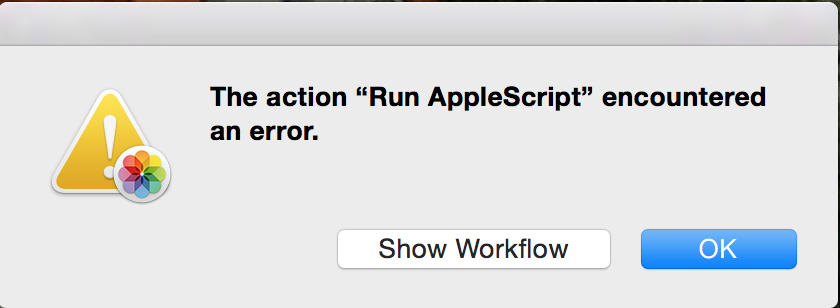

User uploaded file


If I open Automator (with Photos open and the photos still selected), Automator is shown in Activity Monitor and stays there until I close it (as it should). If I execute the workflow from Automator I get a different error message:
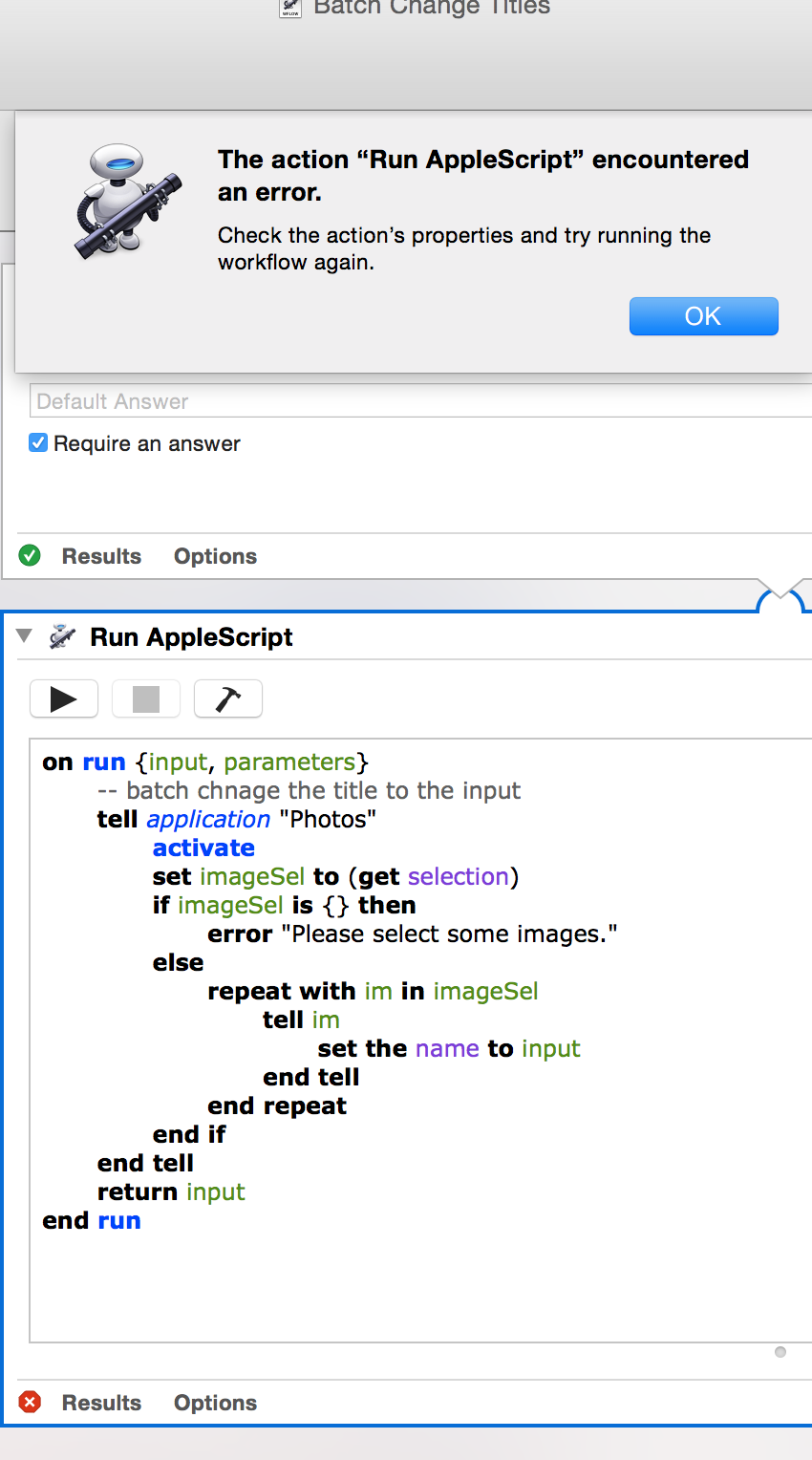

User uploaded file


Since the script worked fine with a small, test Photos library, the problem is probably with the default Photos library (which is now named "Default Library (rebuilt)").


I get a nice collection of Console messages while doing this:


4/26/15 2:30:07.615 PM WorkflowServiceRunner[3005]: Failed to connect (colorGridView) outlet from (NSApplication) to (NSColorPickerGridView): missing setter or instance variable

4/26/15 2:30:07.615 PM WorkflowServiceRunner[3005]: Failed to connect (view) outlet from (NSApplication) to (NSColorPickerGridView): missing setter or instance variable

4/26/15 2:30:07.650 PM WorkflowServiceRunner[3005]: -[AMApplicationRegistry loadDefinitionAtURL:]: No application name for definition at URL file:///Library/Automator/Office.definition/

4/26/15 2:30:07.650 PM WorkflowServiceRunner[3005]: -[AMApplicationRegistry _loadDefinitionsAtURLS:]: Failed to load definition at URL file:///Library/Automator/Office.definition/

4/26/15 2:30:07.724 PM Automator Runner[3006]: -[AMApplicationRegistry loadDefinitionAtURL:]: No application name for definition at URL file:///Library/Automator/Office.definition/

4/26/15 2:30:07.724 PM Automator Runner[3006]: -[AMApplicationRegistry _loadDefinitionsAtURLS:]: Failed to load definition at URL file:///Library/Automator/Office.definition/

4/26/15 2:30:16.659 PM Photos[2997]: An exception was thrown during execution of an NSScriptCommand...

4/26/15 2:30:16.659 PM Photos[2997]: *** -[__NSArrayM objectAtIndex:]: index 48158 beyond bounds for empty array

4/26/15 2:30:17.084 PM WorkflowServiceRunner[3005]: WorkflowServiceRunner received error running Workflow Service at /Users/Jay/Library/Services/Batch Change Titles.workflow: The action “Run AppleScript” encountered an error.


The messages at 2:30:07 are from running the workflow from Automator, the others are from running the scrips from Photos > Services.

-Jay

Hi again,


I was reading through another thread - Where are photo file names? and inverseroom commented (pg. 5): "Wait a minute, I just found that when I select images in the Photos tab, the script won't work, but when I select them in albums > all photos, it does." So I tried that with the script described in this thread (to batch change the titles) and it worked! I've only tried it once, but once is one more time than it has ever worked before for me!


Jay

I've tested a couple of the scripts on nef, cr2 and dng RAW files and they work as expected.


User uploaded file

Hello, I created a service to run the applescript BatchChangeTitles. However, it's very slow, it might take at least 1 minute to modify 100 photos.


Is it normal? I cannot understand why, executing a loop to add a title is definitely not a heavy task.

The scripts that I've tired also take a while. I ran the entire library, 4755 items, with the script to put the file name into the title and that took several minutes. The construction of the library is probably what slows down the execution of the scripts.

Thank you. I see, it makes sense, because I have tested the script with a new library, there are only 10 photos inside, it takes less than 1 second to finish the task.

Hi,


I changed the titles on 100 photos in about 30 seconds on a mid 2011 MacBook Air with a 1.6 GHz Intel Core i5 processor.


I'm using Léonie's original script:


on run {input, parameters}

-- batch change the title to the input

tell application "Photos"

activate

set imageSel to (get selection)

if imageSel is {} then

error "Please select an image."

else

repeat with im in imageSel

tell im

set the name to input

end tell

end repeat

end if

end tell

return input

end run


-- Jay


o

Model Name:

Thanks Jay,

I also copied/made that Applescript, and it worked perfectly.

But today the Automato 00004000 r Service no longer worked, so I built it again. Alas...

Then I came across this text of yours [quote]"Wait a minute, I just found that when I select images in the Photos tab, the script won't work, but when I select them in albums > all photos, it does."[/quote]

And indeed, I switched to Albums>All Photos and it worked.

So I'm a happy camper again.


Is there no way to change the script so that it either switches to Albums>All Photos, or tells the user to do that first?

As stated in another post the script will work when run on pictures selected in Albums > All Photos. While this is helpful it isn't entirely helpful for me. Is there a way for the script to work within a particular Album? I have several pictures perhaps from different times all in one album. It's not feasible for me to select these pictures in Albums > All Photos to do the batch rename. Instead it would make sense to select all within the album.


Thank you all for the scripts. Any way we can modify so it can be run in an album? Thanks.

Thanks for the quick response. I just ran the top code (Batch Change Title to Text w/Padded Sequential No) and it will not complete for me. I get the following error in Automator:

The action "Run AppleScript" encountered an error. Check the action's properties and try running the workflow again. (listed in log as AppleEvent handler failed)


The test album I created to run the code was not in a folder. Also in an attempt to trouble shoot I used the exact code but selected pictures in Albums > All Photos and it ran fine.


What am I doing wrong? Perhaps some sort of setting?

Did you save that script as a Service or as an application. I saved all of mine as applications so I can access them thru the Scripts menu

User uploaded file

which is activated in the Applescript Editor preferences:

User uploaded file


I don't know if that makes any difference in their working in Photos or not but might be worth a try.

I've noticed that with 10.10.5 the Applescript app can't open my current app nor create one from the code in the user tip. I have an older Script.app which can open the already compiled app or save the script form the user tip to an app. But it won't run as it give an input error.


Evidently there's some incompatibilities between the Applescript used to create my apps and the current Applescript directories.


If you are interested I can provide a link to download a copy of my working version of the app so you can give it a try.

I converted the script to an application and ran the script but still get the same error when I try to run within an album. It will work normally within Album > All Photos but that's it.


Unless there are some other recommendations I'm going to chalk this up as an epic fail on Apple's part. Why you would ever remove a functionality that helps create organization is beyond me. I get it if you they don't care about Titles but there are obviously large masses of users that do. It's a shame.


And yes, I have submitted Feedback several times. I encourage all others do the same.


Thanks for your help Old Toad.